Features
Multi-Account Management
Connect multiple Cloudflare accounts and browse every namespace in a unified tree view — no more logging in and out or juggling browser tabs.
Overview
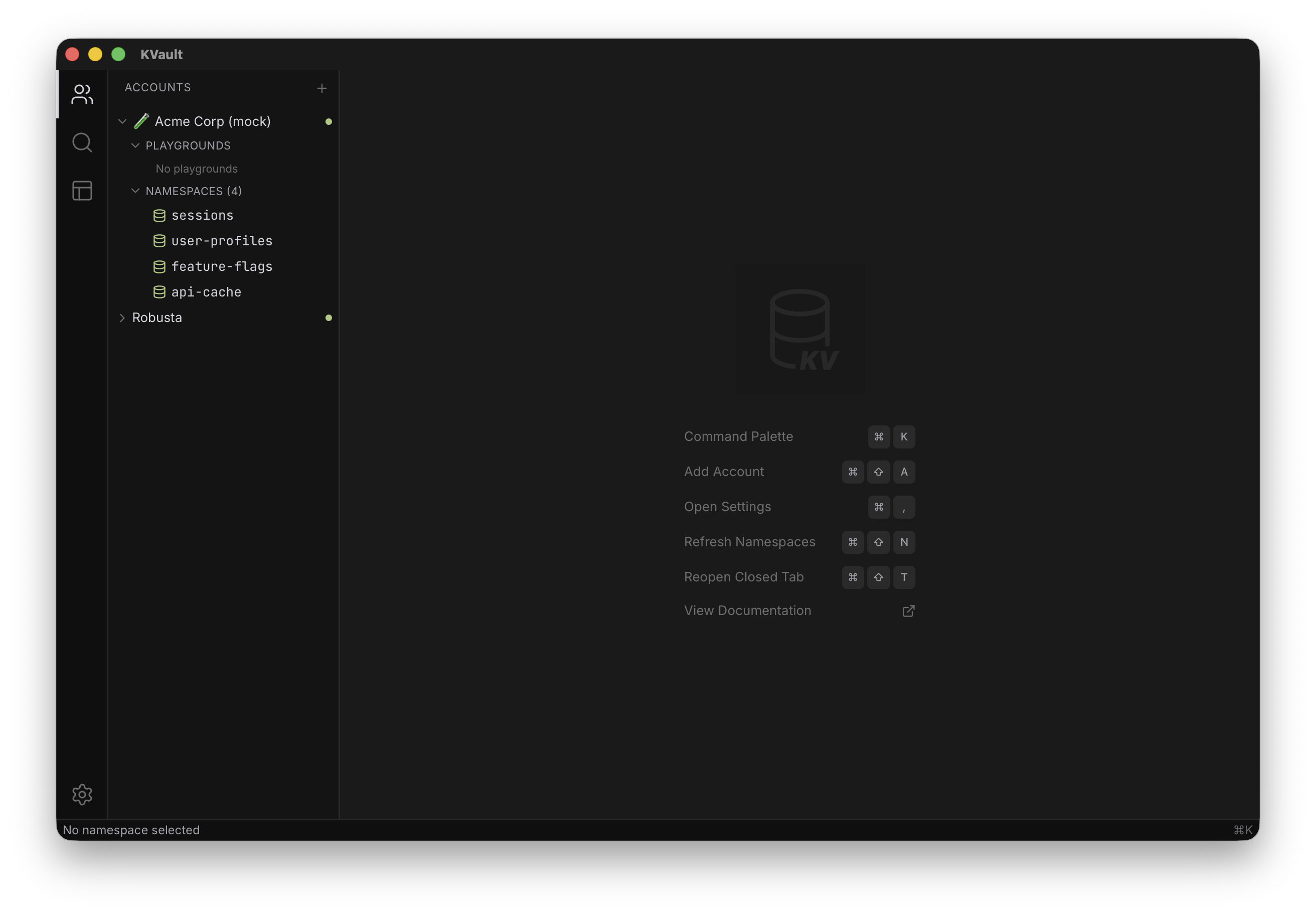
KVault treats accounts as first-class citizens. You can connect as many Cloudflare accounts as you need — personal, team, staging, production — and KVault renders them side by side in a single sidebar tree. Each account expands to show its namespaces, and each namespace expands to show its cached keys. The whole hierarchy is searchable, filterable, and keyboard-navigable without ever leaving the app.
Every account carries its own connection state, sync progress, and error indicators. If one account's token expires, the others keep working. If a namespace sync fails for one account, the rest of the tree stays responsive. This matters when you're responding to an incident and you need to look at production and staging at the same time.
How to use it
Add an account from the sidebar's Add Account button, or via the command palette with Cmd K. You'll be asked for a name (a label you pick) and a Cloudflare API token. KVault validates the token immediately and, on success, lists the account's namespaces and kicks off a background key sync.
Each account in the tree shows a small status dot — connected, syncing, or errored. Click an account to collapse or expand it. Right-click (or use the context menu icon) to rename, remove, or refresh its namespaces. Removing an account wipes its tokens from the OS keychain and clears its local cache immediately.
For the token itself, KVault uses your operating system's secure
credential store — macOS Keychain, Windows Credential Manager, or the
Linux Secret Service. Tokens are never written to SQLite, never logged,
and never sent anywhere except to api.cloudflare.com on
your behalf.
Tips
- Use short, descriptive account names (like
prodorstaging) — they appear everywhere, including the global search result groupings. - Create a scoped token per environment in the Cloudflare dashboard with only the Workers KV Storage: Edit permission. Don't reuse a Global API Key.
- New to KVault? The Getting Started guide walks through creating your first token and adding your first account.
- If a namespace sync fails, check the status indicator on that account — it usually means the token needs updated permissions, not that KVault is broken.
- You can keep accounts expanded or collapsed per session and save that state as part of a workspace.