Features
Global Search
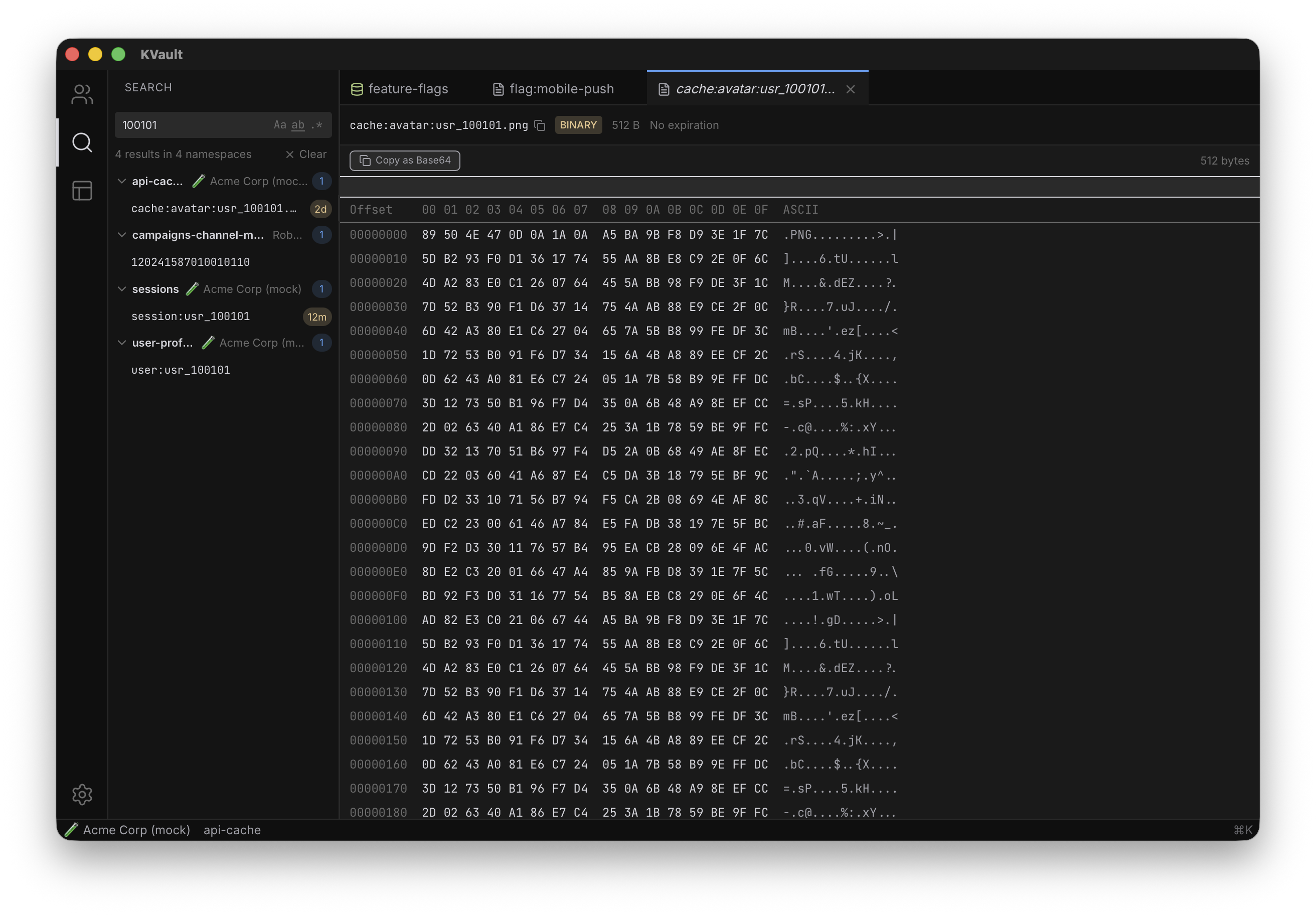
Search across every namespace in every account at once. Toggle case sensitivity, whole-word matching, or full regex — results are grouped by namespace with match counts.
Overview
Global Search is KVault's answer to the question "which namespace is that key in again?" Instead of opening namespaces one by one and running a filter on each, you type once and KVault queries every cached key across every connected account in parallel. Results come back grouped by namespace, with per-namespace match counts so you can see at a glance where the matches concentrate.
Because key names are cached locally in SQLite, the search is effectively instant even across tens of thousands of keys. Nothing hits the Cloudflare API during the search itself — values are fetched on demand only when you click through to a specific key.
How to use it
Open global search from the command palette or with its dedicated shortcut. Type your query — as you type, KVault filters and re-groups the result list. Use the toggles in the search bar to switch between:
- Plain text — substring match, case-insensitive by default.
- Case-sensitive — exact case matching.
- Whole word — token-boundary match, useful for short terms.
- Regex — full regular expression matching with standard syntax.
Click any result to open that key in a new tab; the namespace tab opens alongside so you can keep browsing related keys. Results remember the toggle state across sessions so your preferred mode is always ready.
Tips
- Combine with advanced filters on a specific namespace for a two-step drill-down: narrow across accounts with global search, then pivot into one namespace's filter bar.
- Use regex mode for structured keys — e.g.
^user:\d+:session$finds only session keys that match your naming convention. - If a namespace's results look stale, trigger a background sync to refresh its cached key names.
- Prefer the keyboard? The command palette exposes every search action without leaving the home row.